
 White Paper
Using Ergonomic and Workflow Analyses to Configure a Biosafety Cabinet


1-Minute Summary: Ergonomics and Workflow in Biosafety Cabinets
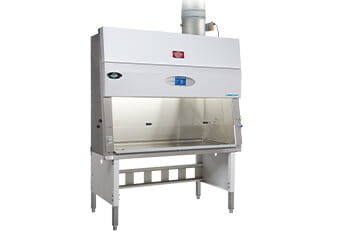
Workflow and ergonomic analyses help ensure a biosafety cabinet (BSC) is configured for how work is actually performed—not just how it fits in the room. Together, these analyses support safer technique, reduce fatigue, and improve day-to-day efficiency. Ergonomic tips for Biosafety Cabinets.
- Workflow analysis determines cabinet size, layout, and staging by mapping how materials and tasks move through the BSC (clean → active work → waste).
- Ergonomic analysis confirms posture, reach zones, and sightline so users can maintain proper technique during long or repetitive procedures.
- A taped-footprint dry run is the fastest way to identify clearance, traffic, and staging issues before installation.
Why this matters
- Reduces fatigue that can lead to technique drift or errors
- Supports consistent workflows across users and shifts
- Helps avoid costly cabinet relocation or reconfiguration
What to Do Before Installing a Biosafety Cabinet
To configure a biosafety cabinet for safe technique and efficient work: complete a risk assessment, map task workflow (clean → work → waste), select cabinet size based on the task footprint, then run a taped-footprint dry run to validate reach, posture, visibility, clearance, and staging before installation.
Quick visual checklist (pre-install)
- ☐ Define top procedures, session length, and number of users
- ☐ Confirm risk assessment and intended BSC class/type
- ☐ Map clean → work → waste flow and staging locations
- ☐ Size by task footprint (tools + materials + staging)
- ☐ Tape the cabinet footprint and run a realistic dry run
- ☐ Validate posture, reach zone, forearm support, and sightline
- ☐ Plan certification, maintenance, and any facility coordination
How to Use Workflow Analysis to Configure a Biosafety Cabinet
A workflow analysis is a task-based map of how people and materials move through the BSC during real procedures. The goal is to reduce unnecessary motion, limit cross-traffic, and keep high-use items accessible without disrupting airflow patterns or technique.
Step 1: List tasks and materials (what actually happens in the cabinet)
- Primary procedures performed in the BSC (e.g., plating, pipetting, vialing, sample prep)
- Typical session length (minutes/hours) and frequency (per day/week)
- Number of users (single user vs. shared cabinet across shifts)
- Tools and materials required for each task (including waste volume and disposal method)
Step 2: Map the flow (clean → work → waste)
- Clean zone: sterile supplies and ready-to-use items
- Active work zone: primary manipulation area kept uncluttered
- Waste zone: discard containers positioned to reduce reach and repeated in/out motions
Step 3: Size and configure the cabinet based on the task footprint
- Choose cabinet width/depth to fit tools and staging (not just the available room footprint)
- Confirm clearance for users, carts, and doors in the approach path
- Identify which services/accessories are required (vacuum, gas, outlets, monitoring, etc.)
Click here to learn more about BSC installation considerations.
How to Use Ergonomic Analysis to Reduce Fatigue and Support Safe Technique
Ergonomic analysis focuses on the user: posture, reach, forearm support, and visibility. The goal is to keep technique consistent during long or repetitive work so safety controls are supported by human factors—not undermined by discomfort.
High-impact ergonomic checks
- Neutral posture: shoulders relaxed, elbows near the body, wrists neutral during pipetting/manipulation
- Forearm support: reduce static loading by using appropriate support and minimizing sustained reach
- Primary reach zone: place high-use items where they are accessible without leaning or overreaching
- Sightline: confirm clear visibility into the work area while maintaining proper sash positioning
- Seated vs. standing fit: match cabinet height/base stand to the user population and typical procedures
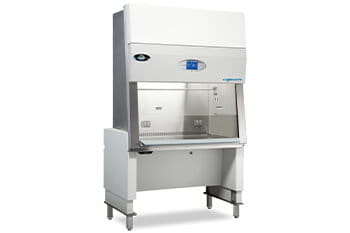
Biosafety Cabinet ergonomic accessories can enhance the work environment.
When to consider a height-adjustable base stand
- Multiple users with different heights
- Long dwell-time tasks (extended pipetting, sorting, repetitive manipulations)
- Mixed seated/standing workflows across shifts
The Dry Run: The Fastest Way to Validate Cabinet Placement and Setup
Before installation, validate the plan with a taped-footprint dry run. This quickly reveals clearance issues, staging conflicts, and workflow bottlenecks that are hard to spot on drawings alone.
Dry run method
- Tape the footprint: mark the cabinet outline and any service clearances.
- Stage mock items: represent common tools, supplies, and waste containers.
- Walk through real procedures: run a timed simulation for typical tasks (including in/out motions).
- Confirm ergonomics: verify posture, reach, and sightline under realistic conditions.
- Refine placement: adjust staging zones and access paths before finalizing installation.
Common issues the dry run catches
- Insufficient clearance for carts, doors, or user approach
- High-use items placed outside comfortable reach
- Waste positioned in a way that forces repeated awkward motion
- Staging that crowds the active work zone and disrupts technique
After Installation: What to Verify Before Routine Use
- Certification readiness: confirm the cabinet is installed in a location that supports proper performance testing
- Final layout check: ensure staging zones match the workflow map used during planning
- User fit: verify seating/standing setup for the primary user population
- Maintenance plan: schedule routine service and certification to support ongoing safe performance
Optional: Inputs to Document for Planning or RFPs
- Primary procedures performed: ____________________
- Number of users per shift: ____________________
- Seated or standing operation: ____________________
- Required services/accessories: gas, vacuum, electrical outlets, armrests, mats
- Room constraints: door widths, clearances, traffic flow, adjacent equipment

Frequently asked questions
How do you use a workflow analysis to size a biosafety cabinet?
List the tasks performed in the cabinet, the tools/materials needed for each, and the number of operators. Size the work area to the task footprint and staging needs—not just the available bench space—then validate with a taped-floor dry run.
What ergonomic factors most often cause fatigue in a biosafety cabinet?
Working too high/low, unsupported forearms, excessive reach, poor sightline, and frequent in/out motions that interrupt technique. Adjust seating/standing height, position high-use items in the primary reach zone, and use supportive accessories (armrests/anti-fatigue mats).
When should you consider a height-adjustable base stand?
When the same BSC is used by multiple staff, when tasks require long dwell time, or when both seated and standing workflows are common. Adjustable height supports consistent posture and can reduce fatigue-related errors.
Do ergonomic changes affect biosafety compliance?
Ergonomics doesn’t replace certification, but it supports safer technique and reduces risky behaviors (overreaching, poor posture, frequent disruptions). Maintain certification and service schedules to support performance expectations (e.g., NSF/ANSI 49 practices).
What’s the fastest way to validate BSC placement before installation?
Use a taped outline of the cabinet footprint, place mock tools/materials, and run a timed “dry run” of common procedures to confirm reach, clearance, traffic flow, and staging.
Related Resources

HEPA versus ULPA Filters in Biosafety Cabinets

Leverage USP Training to Drive Technician Retention


LabGard NU-581 (115V) Class II Biosafety Cabinet Specification

Aeromax Biosafety Cabinet Control System Introduction
Setting the Blower Password on the Aeromax Control System
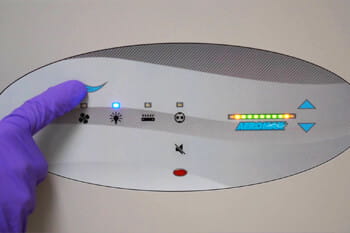
Setting the Light Timer on the Aeromax Control System

Reacting to Alarms in Your Class II, Type A2 Biosafety Cabinet
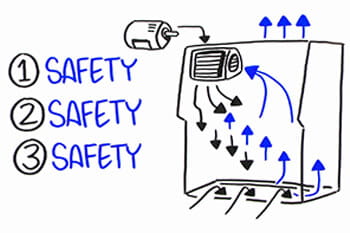
Biosafety Cabinet Construction Matters

Buying a Biosafety Cabinet Making an Informed Decision

Creating a Biosafety Cabinet Training Program
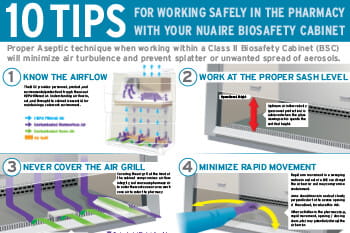
10 Tips for Working Safely in the Pharmacy with Your Biosafety Cabinet